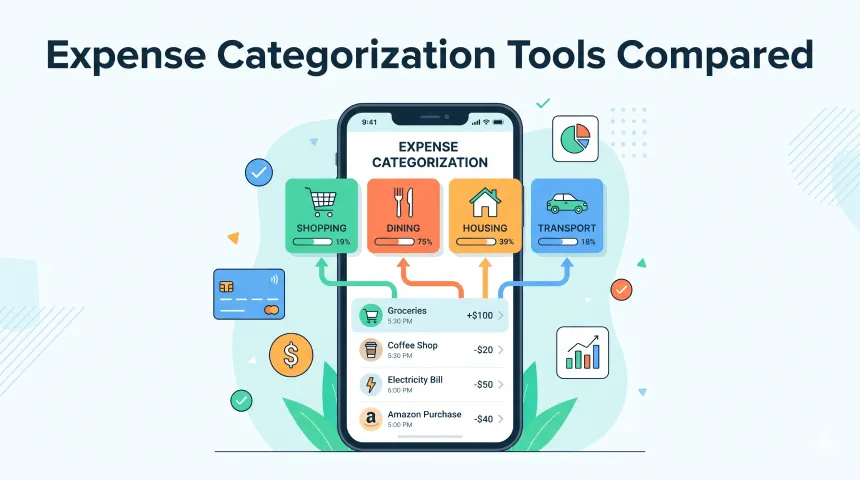
Expense Categorization Tools Compared
Organizing spending data by category is the foundation of any useful budget. If every transaction sits in one mixed list, it is hard to know whether your money is going to essentials, lifestyle spending, debt payments, or savings goals.
Clear categories turn spending into decisions. Once rent, groceries, dining, transport, subscriptions, shopping, and debt payments are separated, you can spot patterns, set realistic limits, and choose which areas need attention first.
The best ways to organize your spending data by category
There is no single best system for everyone. The right way to organize spending data by category depends on how much automation you want, how often you review your money, and whether you prefer full control or faster setup.
A manual spreadsheet gives you maximum flexibility. You can create any category, add formulas, and build your own monthly summary. The tradeoff is time: every transaction must be entered, cleaned, and checked by hand, so spreadsheets work best for people who enjoy detailed control.
Automatic import apps reduce that work by bringing transactions in from supported files or connected data sources. They are faster because card payments, bills, and transfers can appear without typing every detail. However, automatic guesses can be wrong if merchant names are unclear or if one store fits different categories.
Rule-based apps are more predictable. You can tell the app that a specific merchant, description, account, or amount should always go to a chosen category. That makes them strong for recurring bills, subscriptions, grocery stores, transport, and EMI payments.
AI-powered tools can help when transaction descriptions are messy. They look for patterns and suggest categories based on past behavior, but you still need to review unusual purchases. For most people, the best setup combines automatic import, editable rules, manual review, and budgets by category.
Tools that support expense categorization and budgeting
| Tool | Custom categories | Auto-categorization | Budget by category | Spending alerts | Price |
|---|---|---|---|---|---|
| ExpenseKit | Yes | Yes, built-in category patterns plus merchant learning for entered/imported transaction text | Yes | Yes, category spending alerts | Free app with premium options |
| YNAB | Yes | Yes, bank import and payee/category handling | Yes | Yes, budget alerts and overspending signals | $14.99/month or $109/year |
| Mint | Yes, historically | Yes, historically | Yes, historically | Yes, historically | Discontinued; no longer available as an active Mint app |
| Spendee | Yes | Yes | Yes | Yes | Free Basic; paid Plus and Premium plans |
| Spreadsheet template | Yes | No, unless you build formulas/import workflows | Yes, with formulas | No, unless custom automation is added | Free to low-cost template |
ExpenseKit is the best fit if you want expense categorization and budgeting in one personal finance app, especially with custom categories, built-in categorization with merchant learning, budget-by-category, category spending alerts, and debt payoff tracking beside expenses.
YNAB is strong if you want a strict zero-based budgeting method. Spendee is useful if you want shared wallets and synced budgeting. A spreadsheet is best if you want total control and do not mind manual work. Mint is included here because many people still compare tools against it, but it is no longer an active budgeting app.
How to set up spending alerts for non-essential categories
-
Choose flexible categories first. Open ExpenseKit and identify non-essential categories such as Dining, Shopping, Entertainment, Subscriptions, Travel, Gifts, or Hobbies. Keep essentials like rent, utilities, and insurance separate so alerts focus on spending you can actually adjust.
-
Set a monthly category budget. Add a realistic limit for each flexible category based on recent spending. For example, if Dining usually reaches ₹8,000, set a target of ₹5,000 or ₹6,000 instead of cutting too aggressively.
-
Turn on spending alerts. Enable category alerts for the budget you want to monitor. Choose when you want to be warned, such as when spending reaches 70%, 90%, or 100% of the category budget.
-
Review and redirect savings. When an alert fires, pause before spending more in that category. If you avoid a ₹1,500 shopping purchase or cut ₹3,000 from dining, redirect that money toward savings, debt payoff, or another goal in ExpenseKit.
How to track expenses by category
Start with 8 to 12 broad categories so tracking feels manageable. Good starter categories include Housing, Utilities, Groceries, Transport, Insurance, Healthcare, Debt Payments, Savings, Dining, Shopping, Entertainment, and Subscriptions.
Log each transaction under the category that explains why the money was spent. A supermarket purchase goes under Groceries, a restaurant bill goes under Dining, and a credit card EMI goes under Debt Payments. If a transaction does not fit, create a category only when it will help future decisions.
Review your category totals weekly or monthly. Look for categories that are growing faster than expected, then set a budget or alert for the next month. In ExpenseKit, category reports, budgets, alerts, and debt tracking work together, so tracking is not only about recording spending; it becomes a way to change behavior.
FAQ
Which tools support expense categorization?
ExpenseKit, YNAB, Spendee, and many spreadsheet templates support expense categorization. Mint also supported categorization historically, but it is no longer available as an active app.
What are the best ways to organize spending data?
The best ways to organize spending data are manual spreadsheets, import-based apps, rule-based categorization apps, and AI-powered tools. For most users, a rule-based app with category budgets and alerts gives the best balance of speed and control.
What should expense categorization and budgeting tools include?
Good expense categorization and budgeting tools should include custom categories, automatic or rule-based sorting, budget limits by category, spending alerts, reports, and easy correction when a transaction is categorized incorrectly.
How do I track expenses by category?
Create a short list of categories, assign every transaction to one category, review totals regularly, and set budgets for categories that need control. ExpenseKit helps by combining category tracking with budgets, alerts, merchant-learning categorization, and debt payoff tracking.
Next steps
If you are building your category system from scratch, read how to categorize expenses. If you want less manual sorting, read automatic expense categorization.